Finding the office.
From the parking lot to the check-in iPad, step by step. It’s about a two-minute walk.
The whole route, in about a minute and a half.
Follow along from the parking lot to the check-in iPad. Each step is labeled on screen, and the steps below show the same route as photos.
Jump to the steps-
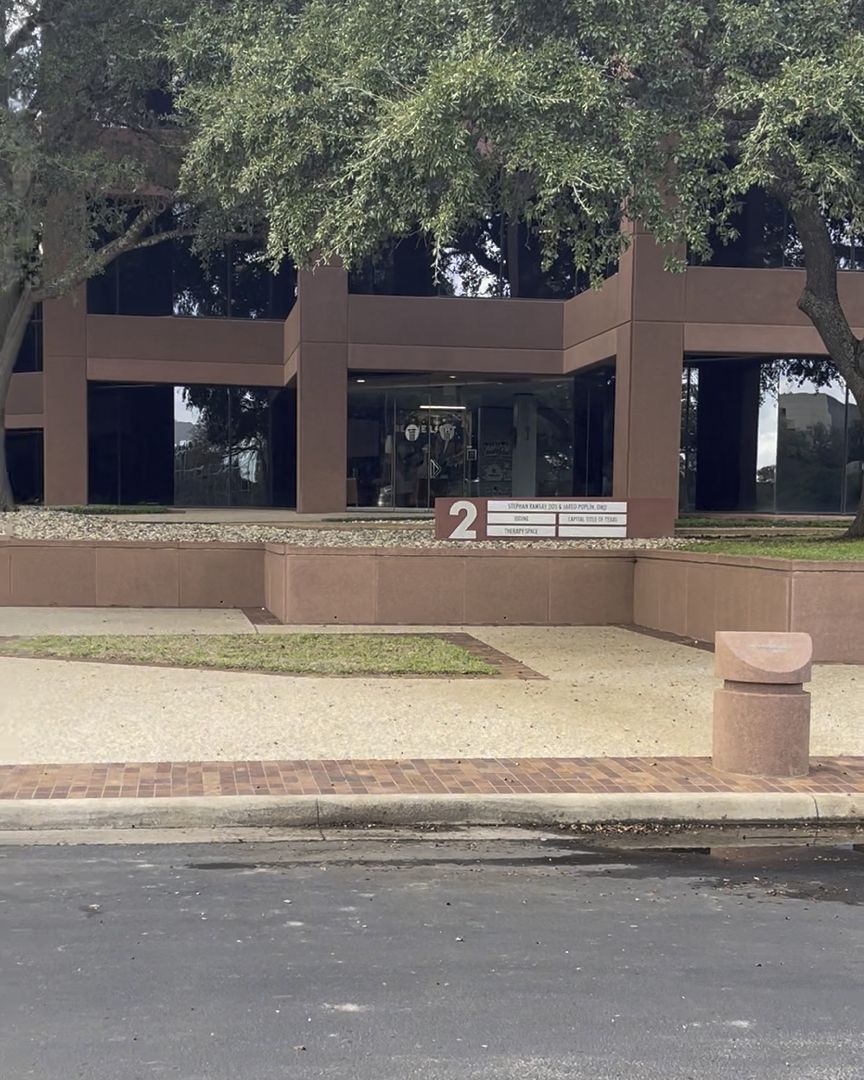 1Step 1 of 8
Park in the lot by Building 2.
Use the open surface lot beside the Building 2 sign. Parking is free.
Look forThe brick 2 sign at the corner of the building.
-
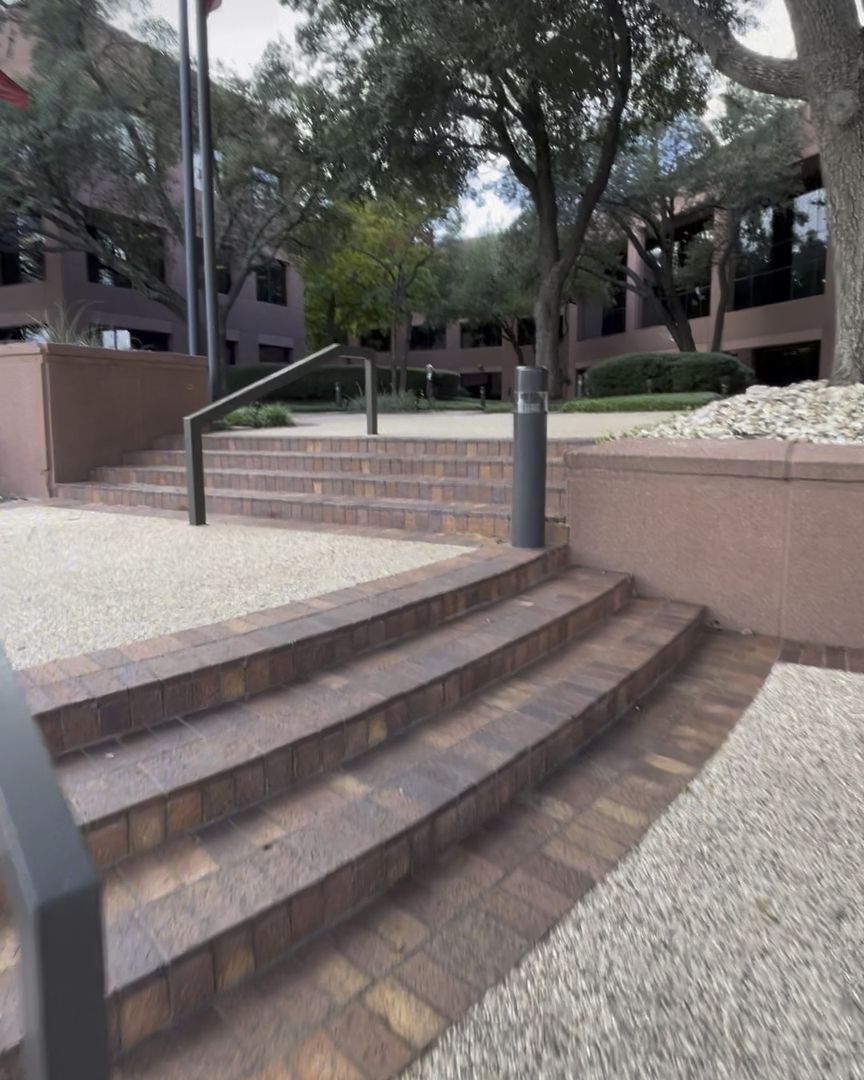 2Step 2 of 8
Climb the brick steps by the flagpoles.
Cross the drive to the walkway, then head up the wide brick steps to the plaza.
Look forFlagpoles and black handrails at the steps.
-
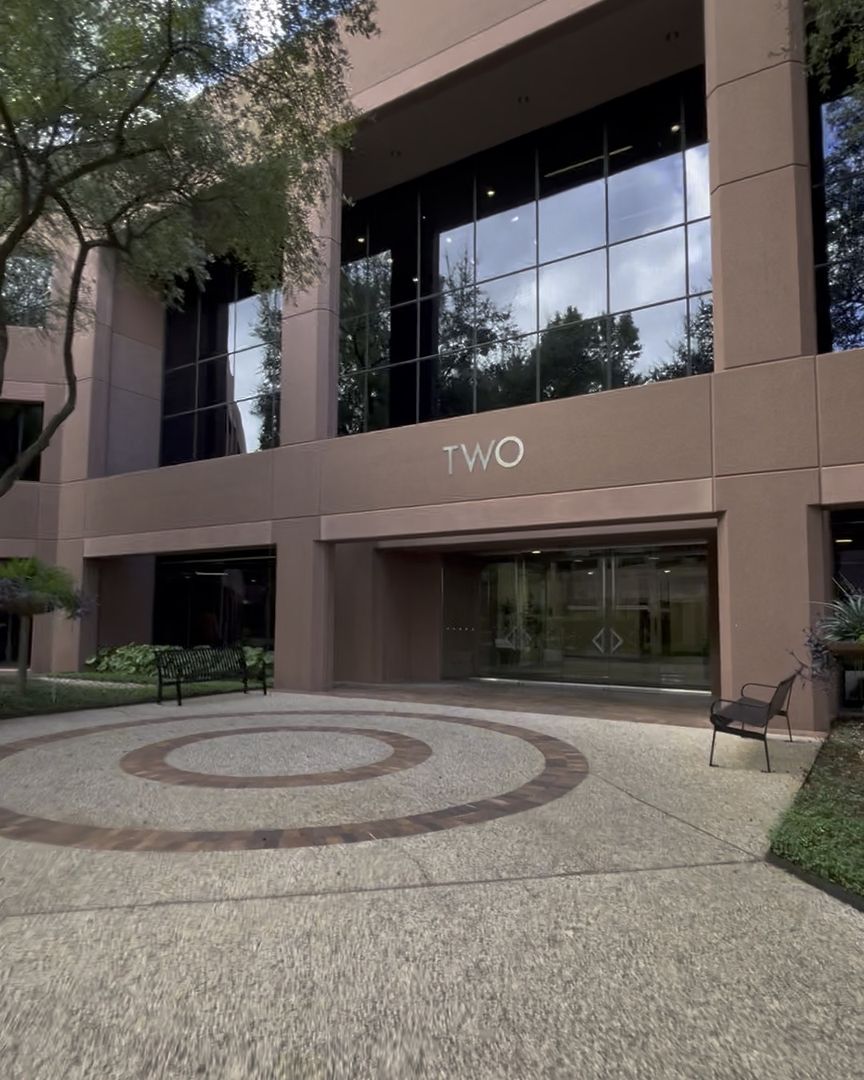 3Step 3 of 8
Follow the courtyard path to “TWO.”
Walk through the oak-shaded courtyard. The path ends at a circular brick pattern in front of the entrance.
Look forTWO in large letters above the glass entrance.
-
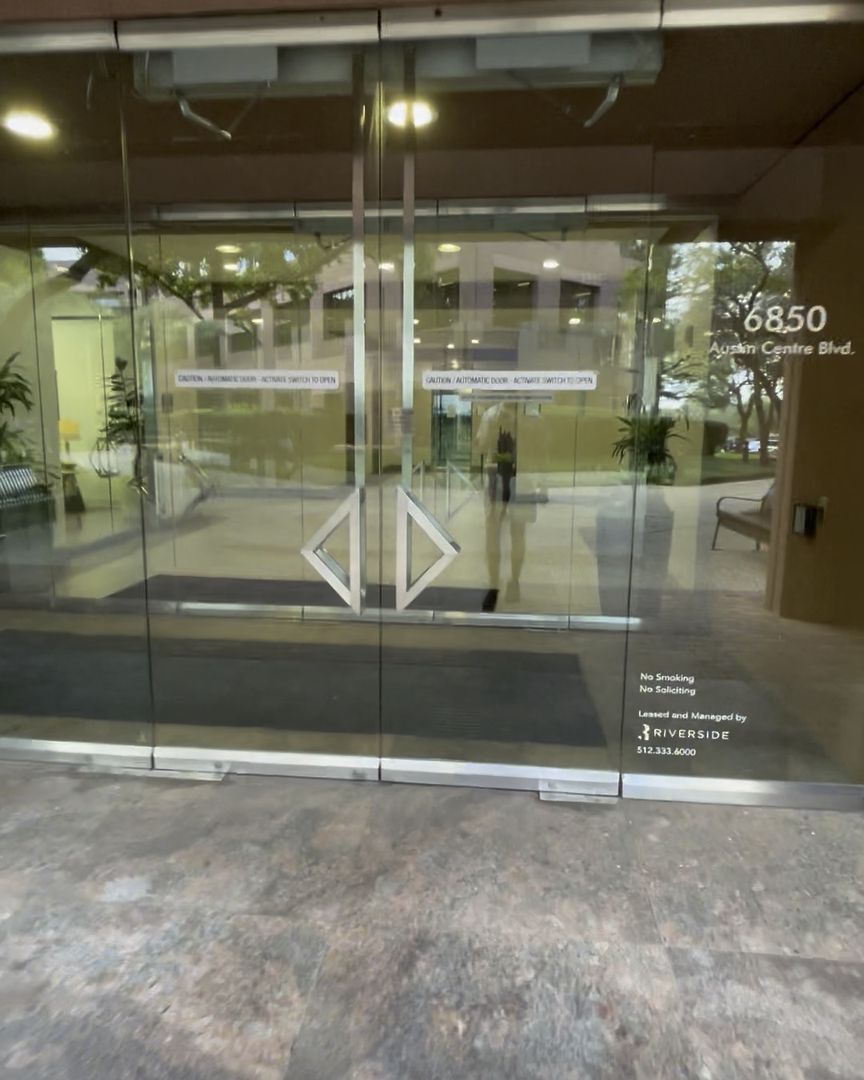 4Step 4 of 8
Go in through the glass doors.
Go through both sets of glass doors, then walk straight through the lobby to the elevators.
Look for6850 on the glass beside the doors.
-
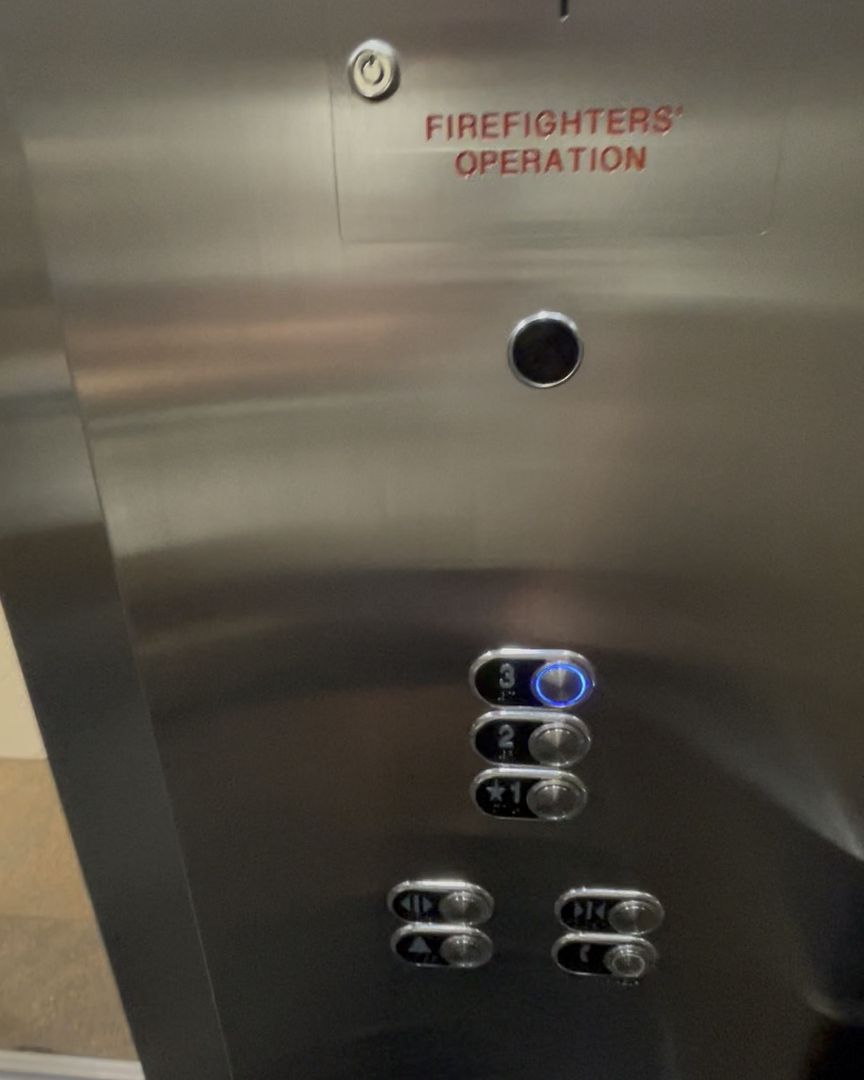 5Step 5 of 8
Take the elevator to the 3rd floor.
Press 3. When you step off the elevator, turn right.
Look forA 3 sign beside the elevator doors when you arrive.
-
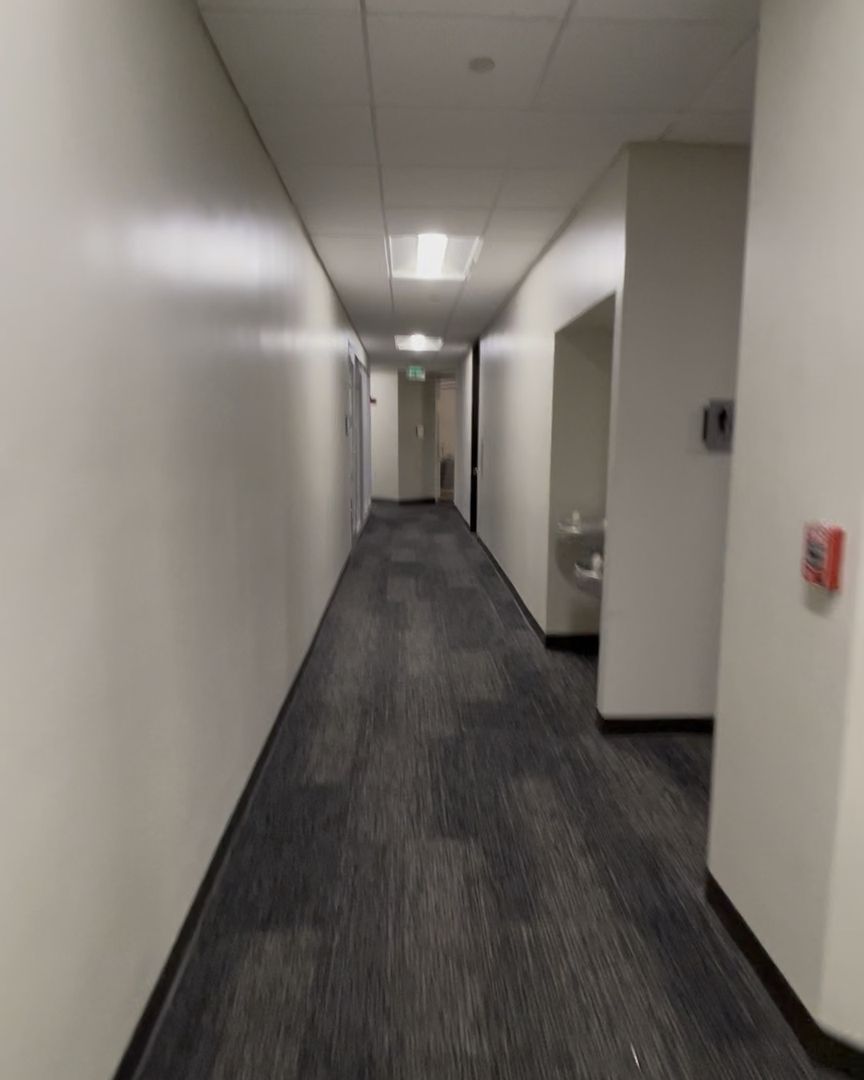 6Step 6 of 8
Follow the hallway to the glass door.
Walk down the long carpeted hallway. Office 320 is partway down, not at the end, so keep an eye out for the glass door.
Look forA glass door with the frosted Therapy Space logo. The hallway keeps going past it.
-
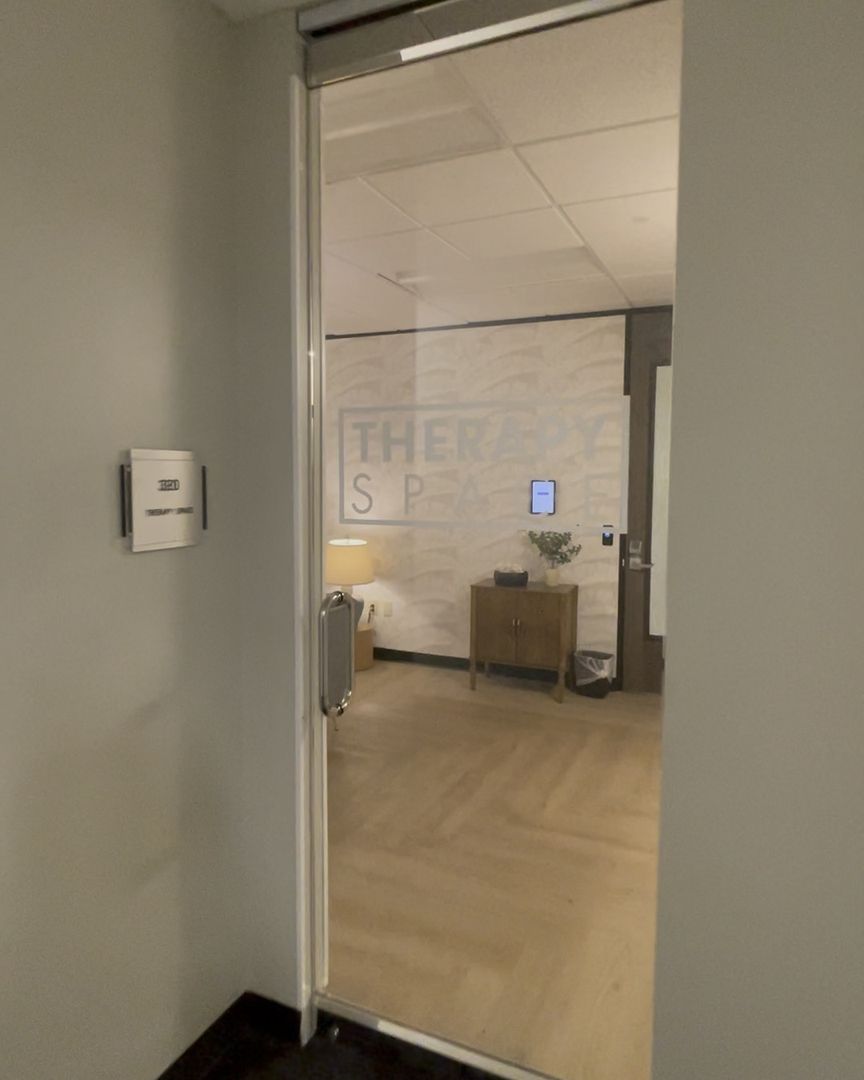 7Step 7 of 8
Office 320: the Therapy Space door.
The glass door marked Therapy Space is Office 320. Come on in.
Look forThe frosted Therapy Space logo on the glass.
-
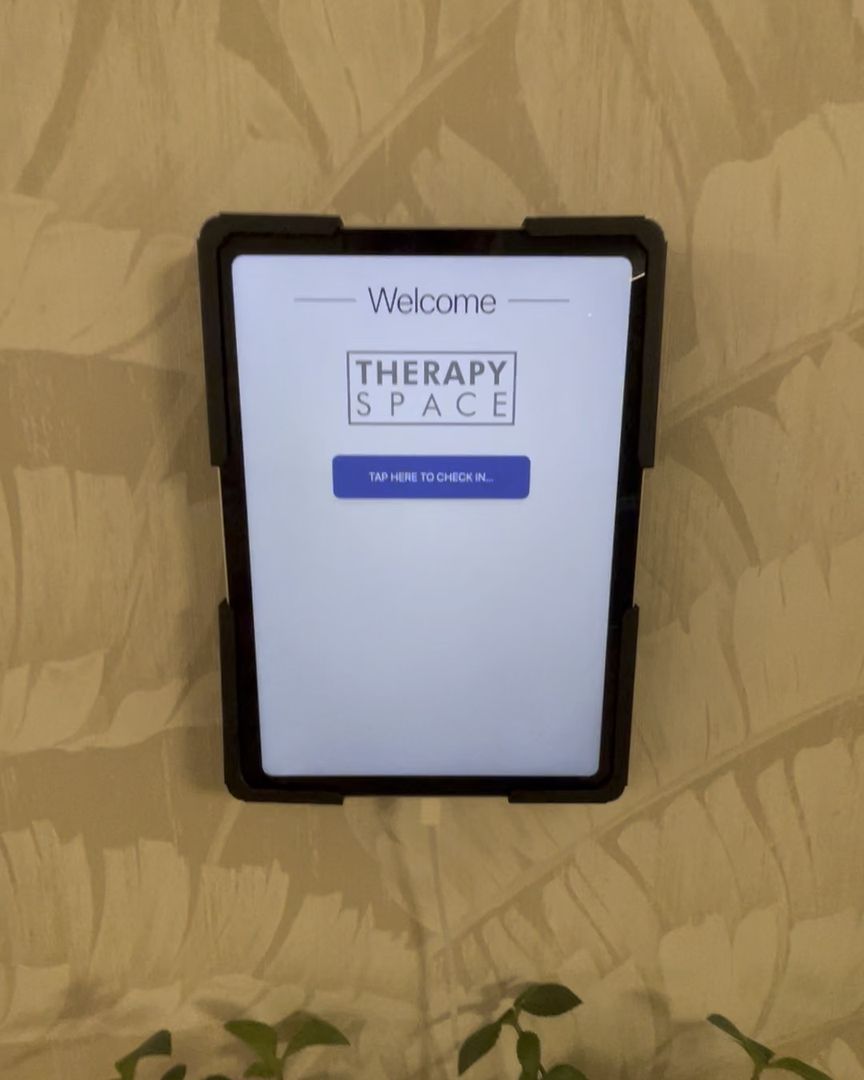 8Step 8 of 8
Check in on the iPad.
- Tap “Tap here to check in.”
- Type Amber in the search box and tap Amber Martinez.
- Enter your first and last initial.
- When you see “You’ve been signed in,” have a seat in the waiting room.
Look forThe iPad on the leaf-pattern wallpaper, next to the inner door.